
1. How to set up a subdomain?
2. How to create your customizable account?
3. How to promote yourself with 4shared?
2. How to create your customizable account?
3. How to promote yourself with 4shared?
How to set up a subdomain?
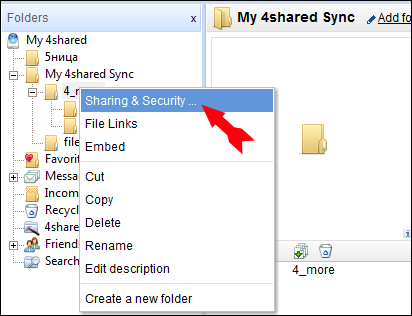
- Right-click on the “My 4shared” folder in the directory tree on the left of your account;
- Choose “Sharing & Security” option;
- Choose “Share this folder option”;
- In the third part of this opened general option find subdomain section;
- Enter your preferable subdomain;
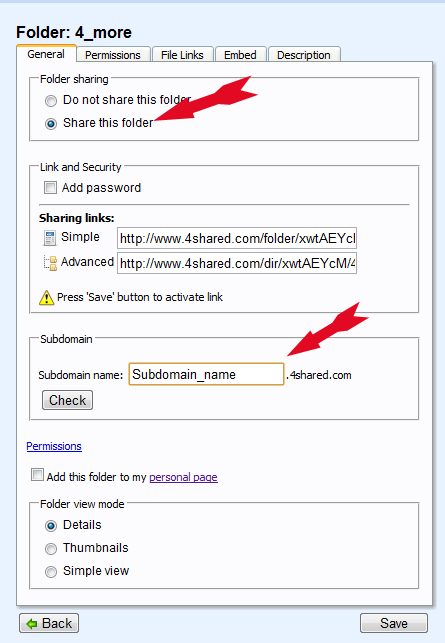
- Check the uniqueness of your name;
- Change it.
How to create your customizable account?
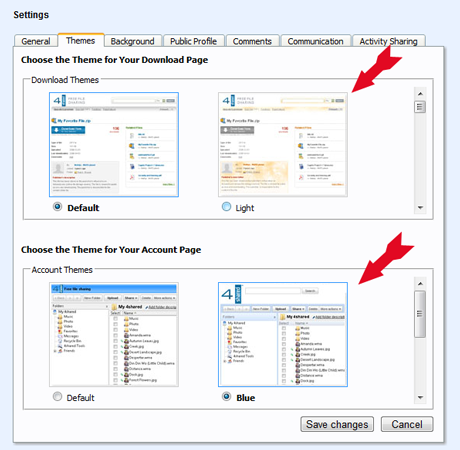
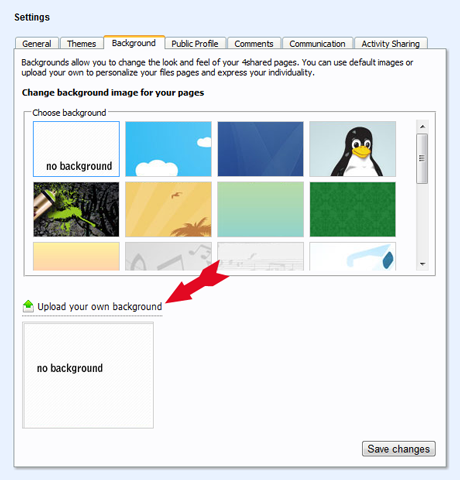
- Go to “Settings” section of your account;

- Upload your own background;
- Upload your profile photo;
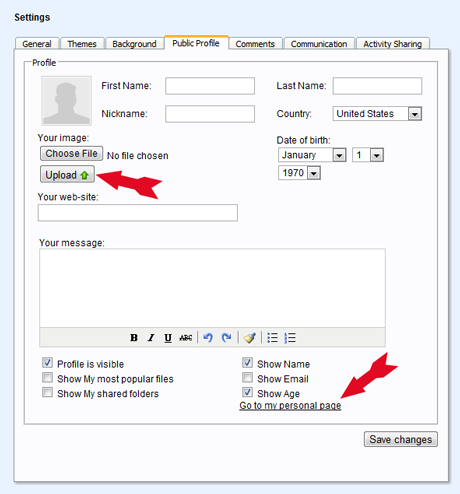
- Change your sub-domain folder name to the unique one;
- Share unique files.
How to promote yourself with 4shared?
- Create a customizable account;
- Write to 4shared PR team pr@4shared.com;
- 4shared will write about you.
Testimonials:

Peter, 25
“ I’m a professional photographer and customizable links are a really helpful thing for me. Now it’s easier for my clients and fans to find my links at 4shared.”
“ I’m a professional photographer and customizable links are a really helpful thing for me. Now it’s easier for my clients and fans to find my links at 4shared.”

Riadh, 29
“ I’ve gathered a unique collection of e-books and always wanted to make my own e-library. As soon as I found 4shared, decided that it’s a right place for my library. But I needed something to make it more recognizable. Unique 4shared folder name was the right solution.”
“ I’ve gathered a unique collection of e-books and always wanted to make my own e-library. As soon as I found 4shared, decided that it’s a right place for my library. But I needed something to make it more recognizable. Unique 4shared folder name was the right solution.”